Last week, I had temporary remote access to a node with 4090 48GB GPUs.
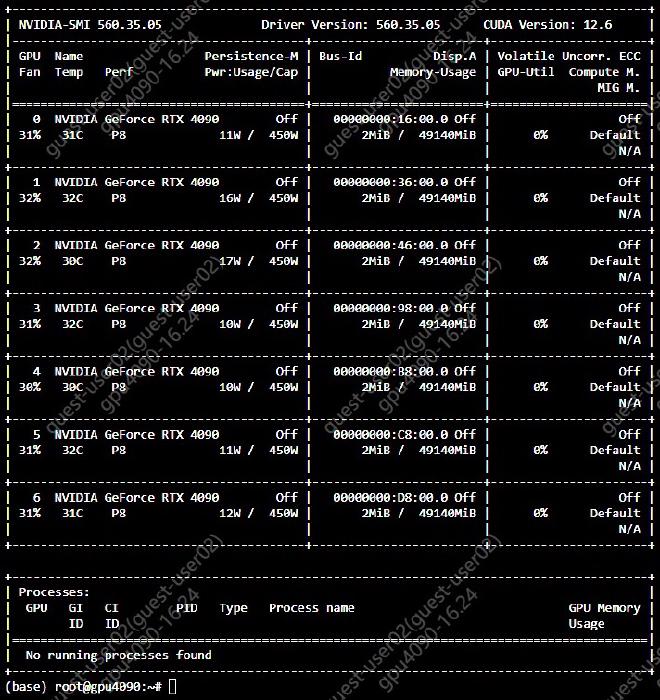
As far as I can tell: they work as expected with 0 issues or gotchas. In particular,
- no special drivers/software are needed. Standard nvidia drivers work OOTB.
- the memory is real; host2device->device2host copies
>24GBare accurate. - perf matches expectations. The FLOPS/membw available is similar to a normal 4090.
- I additionally tested Flux LoRA training via SimpleTuner, which had results identical to a 6000Ada run. Unfortunately I was unable to record this information clearly before running out of time.
Experiments#
As I was ill-prepared for the situation, I only managed to scramble for a few experiments before I ran out of time:
When I receive a physical copy (I am ordering some), I will update this post with proper tests, in accordance with what SemiAnalysis uses in their recent AMD benchmarking article.
ml-engineering#
Stas Bekman’s delightful ml-engineering repository provides an abundance of information, but for the purpose of validating a 4090, I only really care about their MAMF tests.
MAMF#
According to the Ada whitepaper, a standard 4090 should have peak 165.2 FLOP/S with a HGEMM. According to mamf-finder.py, the 48GB 4090 tested has ~103% of that:

Ending:
The best outcome was 170.3TFLOPS @ 10240x4096x4096 (MxNxK) (tried 79 shapes)
all_reduce_bench#
Since I had a 7x node, I tested all_reduce_bench.py for fun:
| |
Doing this benchmark was pointless, as the node did not have the Tinygrad P2P Driver Patch installed.
Although I did not test installation of the P2P patch, I see no reason1 to expect it to fail, given that the node itself uses standard nvidia drivers.
gpt-fast#
After testing FLOPs, the next goal was to test for memory bandwidth.
Batch size 1 LLM decoding throughput is well-known to be memory bandwidth bound, so I made use of gpt-fast on the latest stable PyTorch to model a reasonably popular membw-bound workload.
Due to the horrible network speeds of the node I was using, I was unable to directly download the weights for any model.
So, I used this script to generate fresh weights locally:
| |
As some may know, different input data distributions can produce slightly different performance speeds on the same operations.
Although I believe the performance gap between random kaiming uniform tensors and true ‘organic’ AdamW optimized tensors should be insignificant, smart readers may want to add their own confidence intervals to the results.
I executed the following commands:
| |
and for 13b:
| |
Notably, this defeats the performance of the 6000Ada on the same task:
| |
For a local LLM user, there is almost no value in purchasing a 6000Ada, or even the outdated A6000, over a 4090 48GB.
flux-fp8-api#
At the insistence of a collaborator, I tested the performance of the 4090 48GB on Flux.1-dev inference as well.
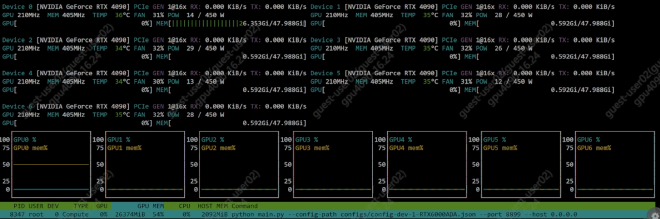
I made use of flux-fp8-api for this, as I also wanted to test FP8 performance, to isolate the possibility of the ‘4090’ being a faked rename of a pre-Ada GPU.
In testing, a modified version of the 6000Ada inference config was used:
| |
Note: qfloat8 quantization was replaced with bfloat16 to avoid invoking Quanto/torch-cublas-hgemm, which required nvcc for compilation, which I lacked the prudence and time to install. Internally, flux-fp8-api will still use fp8 GEMM by downcasting bfloat16 weights appropriately at inference time.
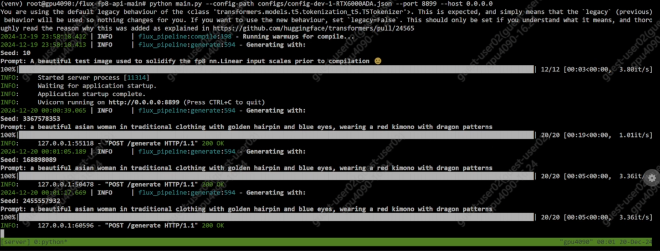
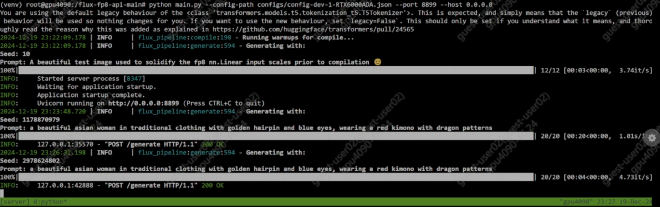
For the “✅ compile blocks & extras” config described in the README, these are the inference it/s, compared with standard GPU results:
| Resolution | 4090 48G | 4090 | 6000A | |
|---|---|---|---|---|
| 1024x1024 | 3.36 | 3.51 | 2.8 | |
| 1024x720 | 4.71 | 4.96 | 3.78 |
Our 48GB is a little bit slower due to the aforementioned qfloat8->bfloat16 swap, which incurs some membw overhead.
The 6000Ada loses due to extreme power throttling. There is no public resource on this, but you can find a similar reported issue for the L4 GPU.
Conclusion#
There is at least one 4090 48GB on planet earth that performs in accordance to expectations.
Note: As a financially-interested NVD3.L shareholder, I have no interest in sabotaging the datacenter revenue of Nvidia Corporation. Therefore, I will not provide public links indicating where to purchase these devices.
this was horribly wrong. it does not work due to ReBAR size limits and ReBarUEFI doesn’t work ↩︎